iPhone and Android · Beta
Check it before you post.
Post Metras checks your Reel, TikTok or Short on your phone. Your video never leaves it.
No account. No upload.
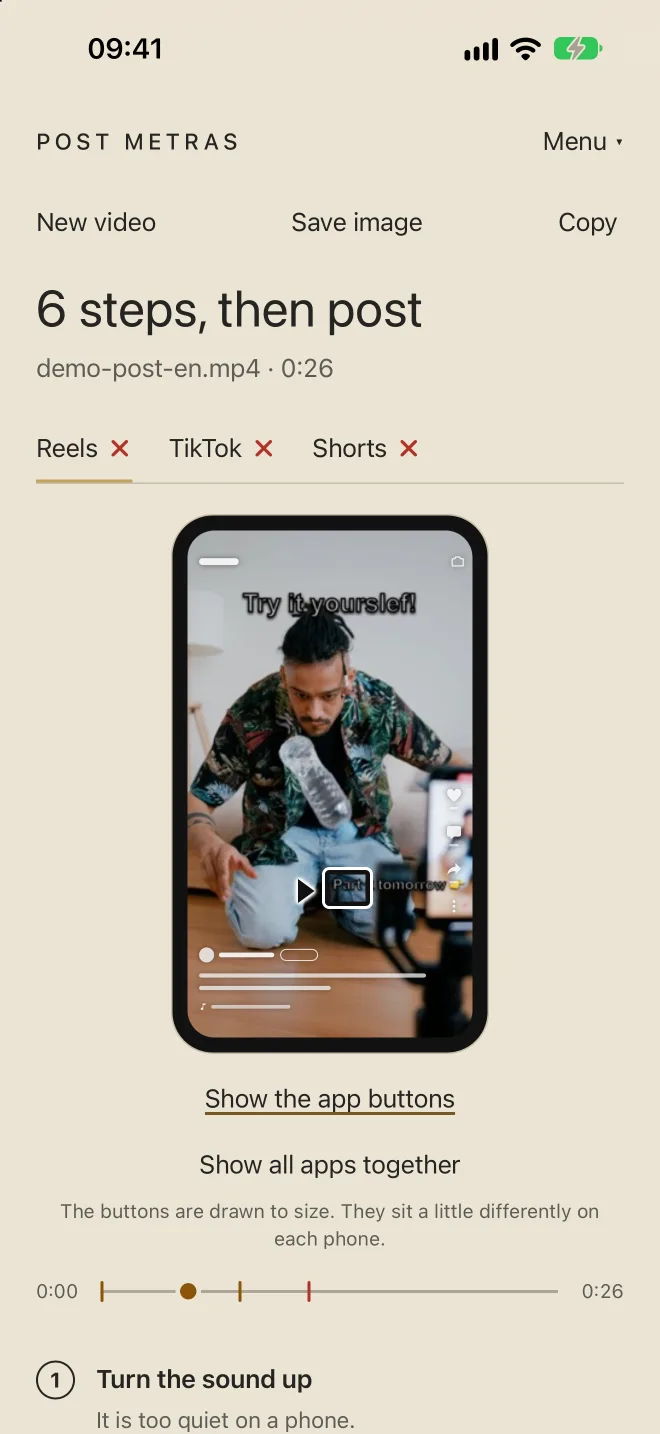
Has this happened to you?
-
The title fell under the like button.
You see it on your own frame, with the real interface of TikTok, Reels and Shorts.
-
You posted a TikTok watermark on Instagram.
It finds it and shows where, before it cuts your reach.
-
5,000 people saw the typo before you.
Spell check on the on-screen text, in 18 languages, offline.
How it works
-
Pick the video
Choose the vertical video you are about to post.
-
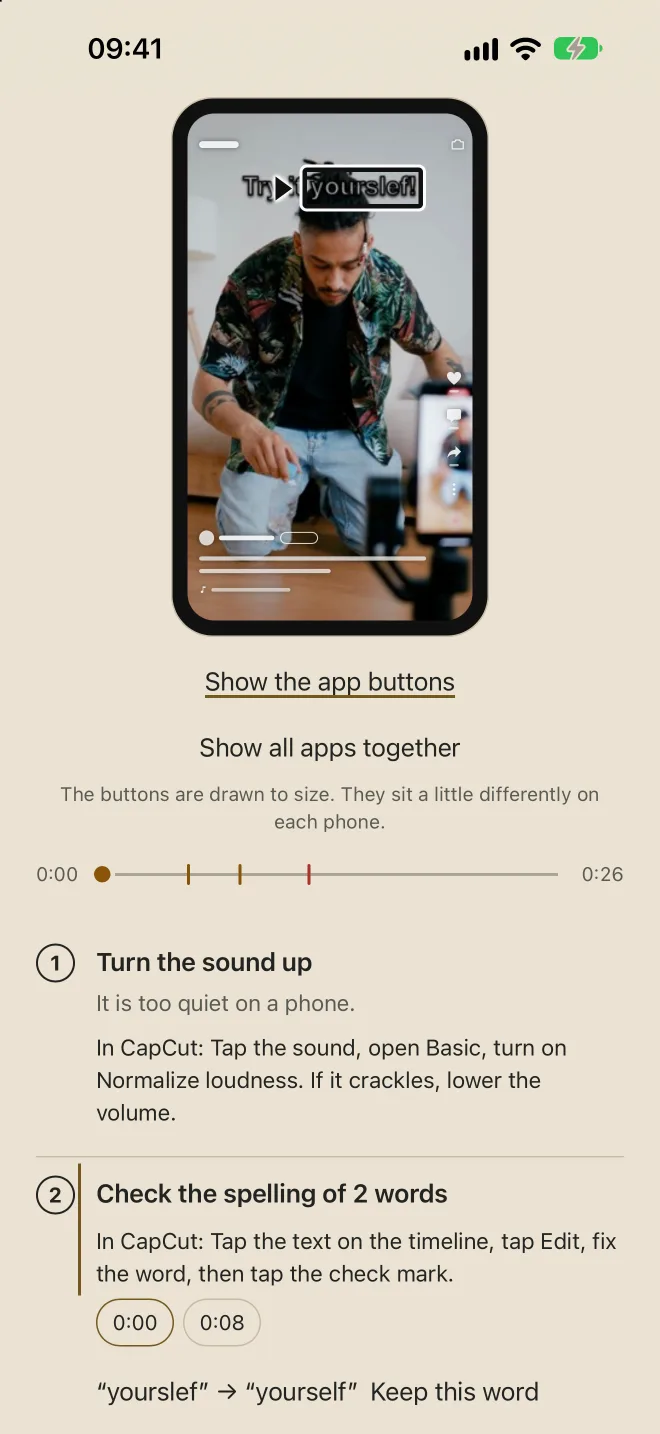
Read the report
See what the buttons cover, what the text says, where the watermark is.
-
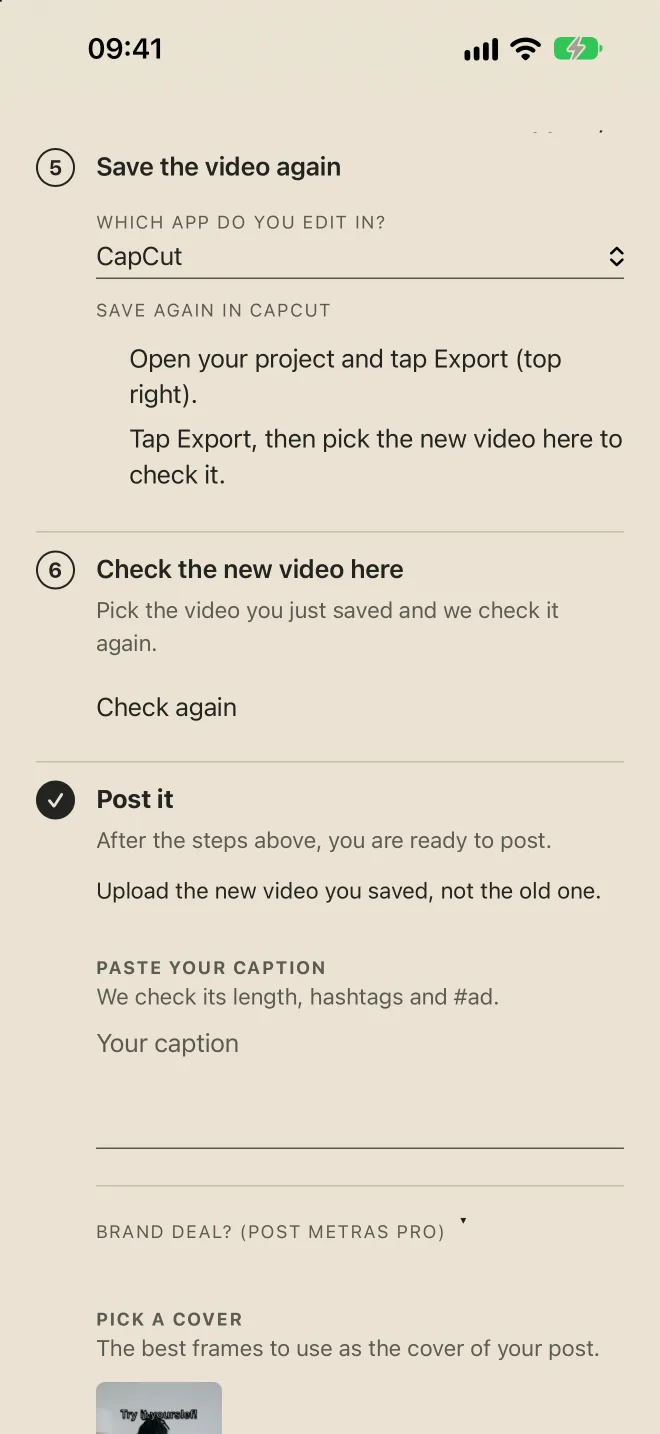
Fix and post
Fix what the report shows, then post with confidence.
What it checks
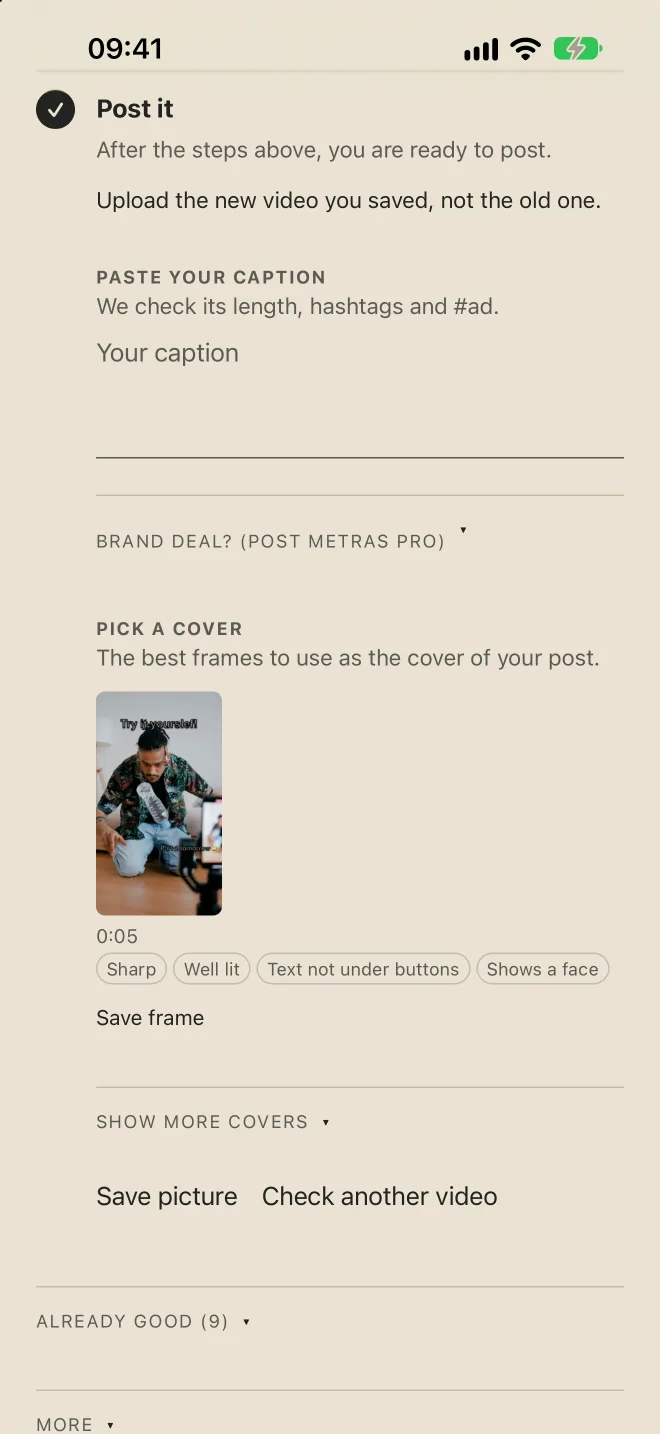
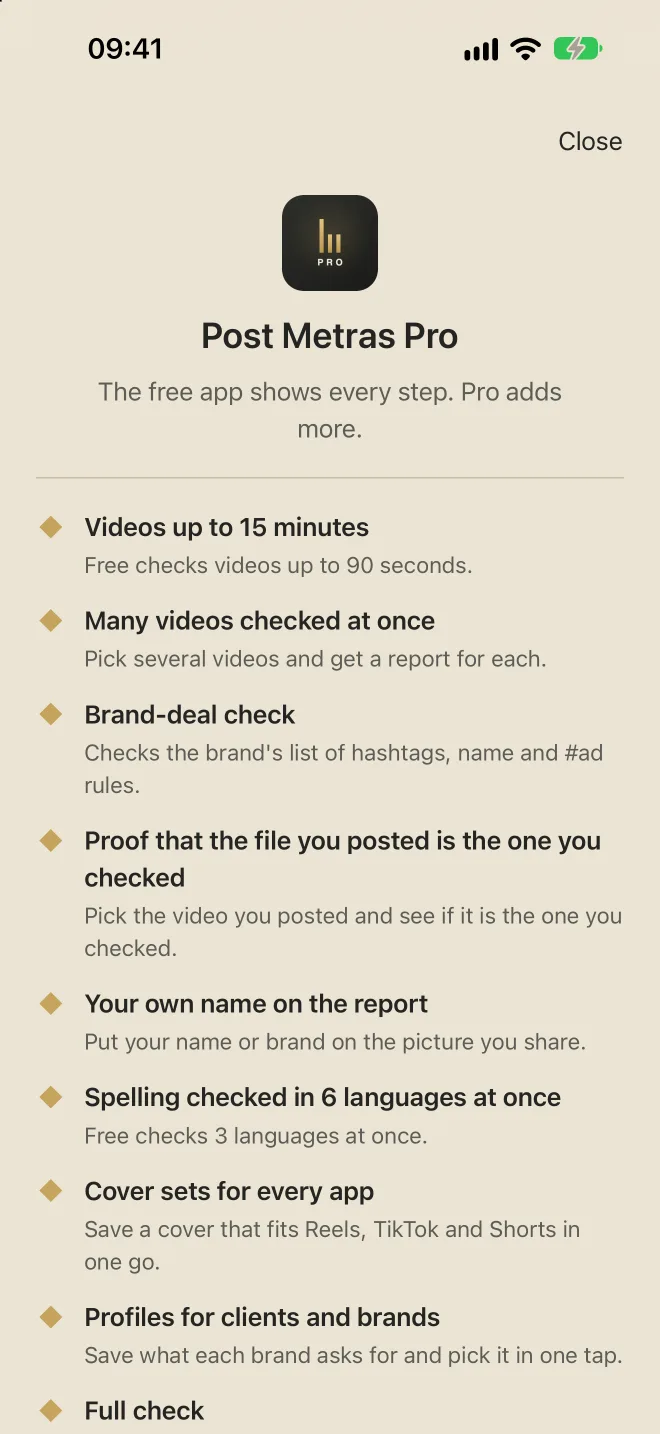
Each problem comes with the step to fix it, in plain words. Free: videos up to 90 sec. Post Metras Pro: up to 15 min. For Reels, TikTok and Shorts.
-
Text hidden by the buttons
-
Spelling in your video text
-
Letters too small or hard to read
-
Logos from other apps
-
Sound too low or with gaps
-
Shape, quality and length
-
Caption, hashtags and #ad
-
Many videos at once
With Post Metras Pro
-
Sponsorships and file proof
With Post Metras Pro
-
Covers for every app
With Post Metras Pro
Full protection of your privacy
Every video you add is never sent to any server, and all the processing happens privately on your phone.
Free to start. No account.
- Start free. Videos up to 90 seconds, with the spelling check.
- Grow with Post Metras Pro. Videos up to 15 minutes and many videos at once.
- Pay your way. Monthly, yearly (starts with a 7-day free trial) or once for life.
- Made for creators who post for brands. A saved profile for each brand, and the rules of every deal checked.
- iPhone and Android. No account needed.
- The free version never expires. No card needed.
Quick answers
Are my videos uploaded anywhere?
No. The checks run on your device. Read the privacy policy.
How do I restore Post Metras Pro on a new phone?
Open the Pro screen in the app and tap Restore Purchases, signed in with the same Apple Account (iPhone) or Google Play account (Android) that bought it. If it does not work, write to post@mymetras.com.
Where can I read the terms?
See the Terms of use.
Check it before you post.
Free on iPhone and Android. Post Metras Pro is for longer videos and many at once.